
In this comprehensive article, I will walk you through the major methods for uploading files to Azure Blob Storage, from simple drag-and-drop to high-performance command-line tools.
How To Upload File To Azure Blob Storage
Method 1: Using Azure Portal
Follow the steps below.
1. The first step is to create an Azure storage account and a container in the Azure Portal. Follow the article on How to Create Azure Blob storage to create the Azure storage account and the Blob container.
2. Now, navigate to the newly created container you created above, or use your existing container in the Azure portal.
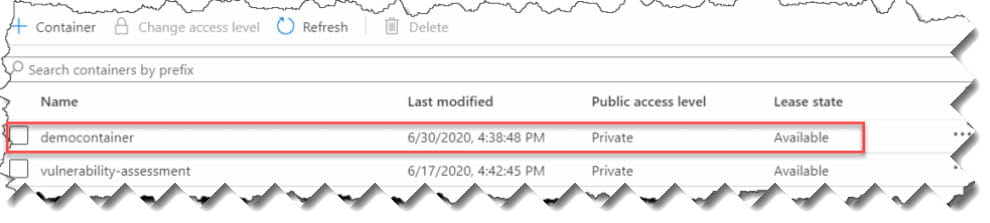
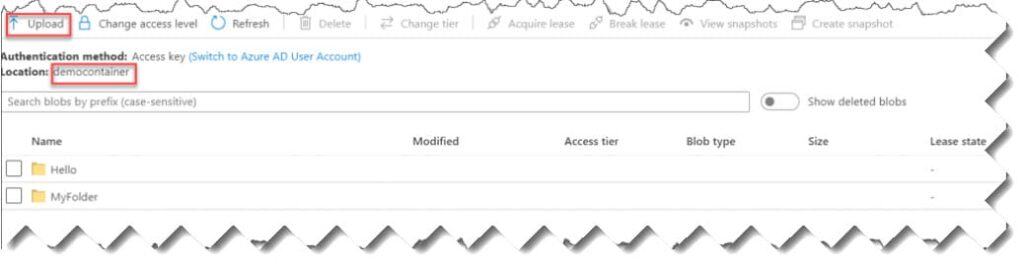
3. Then, click on the name of the container, and the container page will open. Click on the Upload button there.
4. On the Upload blob window, click on the Browse button, select the file to be uploaded from the local path of your system, and then click on the Upload button.
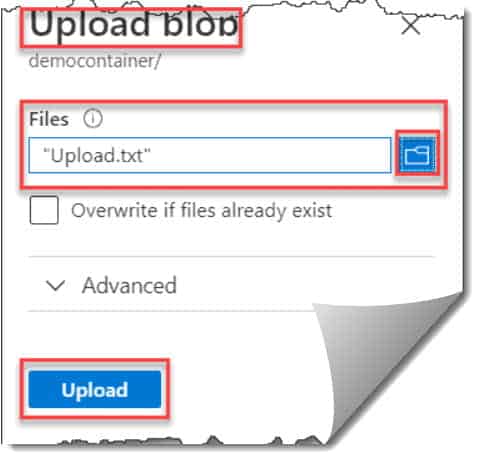
Now, it will show you a message that the upload of upload.txt is complete.

You can see below that the file has been uploaded successfully to my Azure container.